Custom Search

Thursday, September 17, 2009

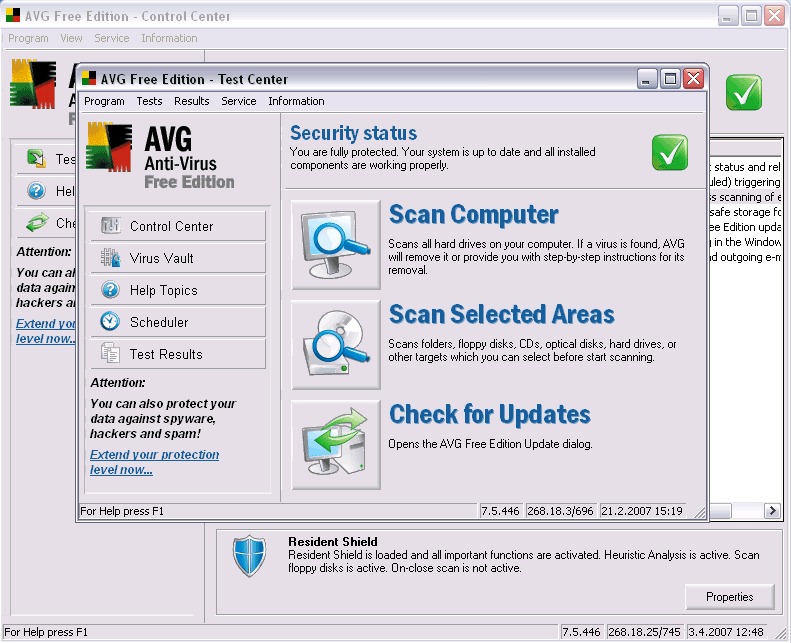
AVG AntiVirus Free 8.5.409a1634

AVG AntiVirus Free 8.5.409a1634

With this free distribution version of the popular AVG Anti-Virus system, you will get a reliable tool for your computer protection against computer viruses.

Features:

  • Automatic update functionality

  • The AVG Resident Shield, which provides real-time protection as files are opened and programs are run

  • The AVG E-mail Scanner, which protects your e-mail

  • The AVG On-Demand Scanner, which allows the user to perform scheduled and manual tests

  • Free Virus Database Updates for the lifetime of the product

  • AVG Virus Vault for safe handling of infected files

  • Great customer satisfaction!

Please note that any previous version of AVG Free will be un-installed automatically during the installation of the new AVG Free.

Size: 65.39MB

Publisher: Visit Website


OS:Win 2000/XP/2003 /Vista

Release Date: 18-09-09


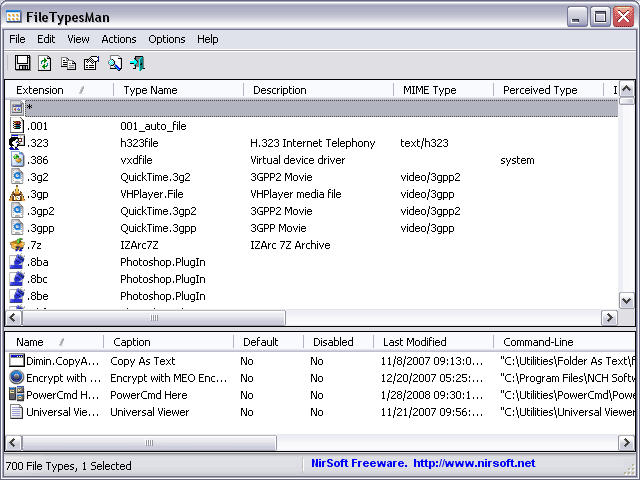
FileTypesMan 1.51

FileTypesMan 1.51

FileTypesMan is an alternative to the ´File Types´ tab in the ´Folder Options´ of Windows . It displays the list of all file extensions and types registered on your computer. For each file type, the following information is displayed: Type Name, Description, MIME Type, Perceived Type, Flags, Browser Flags, and more.

FileTypesMan also allows you to easily edit the properties and flags of each file type, as well as it allows you to add, edit, and remove actions in a file type.


This utility works on any version of Windows from Windows 98 to Windows Vista. For using this utility under Windows 98/ME, you must download the non-Unicode version.

What's New in version 1.5.1:

  • Added 'Choose Icon' dialog-box like in the file types manager of Windows, to allow you to easily choose the desired file type icon. (Works only on Windows XP or greater)

Size: 55.8KB

Publisher: Visit Website

OS: Win 98/ME/NT/2K/XP/2K3 /Vista

Release Date: 18-09-09


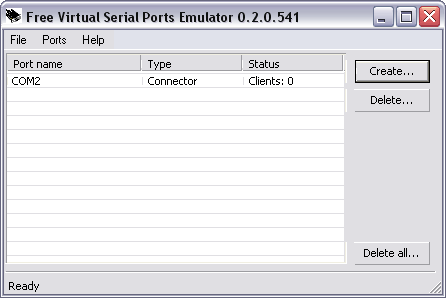
Free Virtual Serial Ports Emulator 0.934.4.670

Free Virtual Serial Ports Emulator 0.934.4.670

VSPE is intended to help software engineers and developers to create/debug/test applications that use serial ports. It is able to create various virtual devices to transmit/receive data. Unlike regular serial port, virtual devices have special capabilities: for example, the same device can be opened more than once by different applications, that can be very useful in many cases.


Features:

  • Virtual device: connector

  • Virtual device: data splitter

  • Virtual device: pair

System Requirements:


Size: 2.58MB

Publisher: Visit Website

OS:Win 2000/XP/Vista

Release Date: 18-09-09


LimeWire 5.3.4 Beta

LimeWire 5.3.4 Beta

LimeWire is the world´s fastest P2P file-sharing application, letting users share and search for all types of computer files, including movies, pictures, games, and text documents. The application´s other features include dynamic querying, the ability to preview files while downloading, advanced techniques for locating rare files, and an extremely intuitive user interface.


LimeWire is compatible with the Gnutella file-sharing protocol and can connect with anyone else running Gnutella-compatible software.

At startup, the LimeWire program will connect, via the internet, to the LimeWire Gateway, a specialized intelligent Gnutella router, at startup to maximize the user's viewable network space.LimeWire is a tool that allows you to share files over the internet.

Further, the most recent version of Lime Wire enables Group functionality, so that users can connect to other people interested in sharing the same kinds of files that they are.

Features:

  • Ease of use - just install, run, and search

  • Ability to search by artist, title, genre, or other metainformation

  • Elegant multiple search tabbed interface

  • "Swarm" downloads from multiple hosts help you get files faster

  • iTunes integration for Mac users

  • Unique "ultrapeer" technology reduces bandwidth requirements for most users

  • Integrated chat

  • Browse host feature--even works through firewalls

  • Added Bitzi metadata lookup

  • International versions: Now available in many new languages.

  • Connects to the network using GWebCache, a distributed connection system

  • Automatic local network searches for lightning-fast downloads. If you're on a corporate or university network, download files from other users on the same network almost instantaneously!

  • Support for MAGNET links that allow you to click on web page links that access Gnutella.


What's New in version 5.3.4 Beta:

  • Fix an UnsatisfiedLink error for the Dock icon in Snow Leopard.

  • Blocking IPs in the UI caused duplicate entries in the IP black list.

  • General bug fixes

Size: 17.82MB

Publisher: Visit Website

OS: Win 9x/ME/2K/NT/XP

Release Date: 18-09-09


RAMRush 1.0.6.917

RAMRush 1.0.6.917

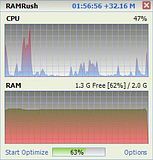
RAMRush is a free memory management and optimization tool. It can efficiently optimize memory usages of your Windows system, free up physical RAM and make your system work better. RAMRush uses an intelligent way to manage the physical memory and lets the RAM work in a better performance. It will help you to prevent system crashes, memory leaks and keep your computer running more efficiently.


RAMRush is a FREEWARE, you could download and use it free of charge.

Features:

  • Increase system performance

  • Increase the amount of memory available
  • Defragment system physical memory
  • Recover memory from Windows applications
  • Remove memory leaks
  • Prevent system crashes caused by memory problems
  • Display the real-time usages data of CPU and RAM

  • Hotkey to do optimization
  • Click to do optimization
  • Quiet mode in Windows tray
  • AutoOptimize mode support

  • Command line mode support (eg: ´PATHOFRAMRUSH/RAMRush.exe -AutoOptimize´)

System Requirements:

  • Supported OS: Windows 98, Windows ME, Windows 2000, Windows XP, Windows 2003, Windows Vista, Windows 2008 and Windows 7

  • Requirements: 1MB disk space and 5MB to 8MB RAM, GDIPLUS.DLL for Win98/ME system

What´s New in version 1.0.6.917:

  • Add a ´sticky´ button to stay the form on top

  • Remove the useless ´close´ button

  • Add an option to ´Get CPU data from System Performance Monitor´ (it is usually used for x64 system)

  • Fixed the problem that cannot get CPU data in some condition

  • Fixed the bug to save settings in Windows 7

  • Fixed several charset problems

  • Add a new field ´cbx_cpudatafromsystemperformance´ to language pack

  • Add a ´DisplayName´ field in language pack to display the local language pack name on the web

  • Some other small tweaks


Size: 534KB

Publisher: Visit Website

OS: Win 2000/XP/2003/Vista/2008/7

Release Date: 18-09-09


Avant Browser 11.7 Build 39

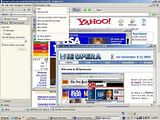
Avant Browser is a fast, stable, user-friendly, versatile web browser. Avant Browser is a multi-window browser which features with many functions such as Pop-up Stopper and Flash Ads Filter, Built-in Yahoo /Google Searching, Safe Recovery, Integrated Cleaner and Advanced Browsing Options.

Flash Animation Filter: More than 85% of all flash animation on web pages is advertising. These flash files are pretty large, and normally take up to 90% of the size of the page you´re visiting. With Avant Browser you can save this bandwidth by blocking the download of these flash files with just one easy click. Avant Browser also provides options to block downloads of pictures, videos, sounds and ActiveX components. With these options users can control their bandwidth and speed up page loading.


Built-in Pop-up Stopper: Easily eliminate unwanted pop-up pages automatically with just one click.


Additional Mouse Functions: If you click a link in the web page with the middle mouse button, the link will be opened in a new window in the background. And there are two handy mouse gestures in Avant Browser. The first allows you to navigate backward one step by holding the right button down and then clicking on the left button simultaneously. The second allows you to navigate forward one step by reversing the buttons used: hold left, and click right.


Multi-Window Browsing: Browse multiple web pages simultaneously. All opened pages can be easily stopped, refreshed, closed or arranged with one click.


Real Full Screen Mode and Alternative Full Desktop mode: When you enable Full Screen Mode, all you see is the webspace, with no toolbars or other clutter. They are simply autohidden! Move your mouse over the top or bottom and find the toolbar and tab bar respectively. Avant Browser also provides Full Desktop Mode, which is the same as Full screen mode, but differs in that your windows task bar stays visible.


What's New in version 11.7 Build 39:

  • Fixed an Online Storage problem probably keeping the browser from downloading profiles

  • Fixed the AutoFill text field shortened problem in View/Edit Autofills dialog


Publisher: Visit Website

Release Date: 18-09-09

OS: Win 2K/NT/XP/Vista


download _by_//dcarware.blogspot.com/

download _by_//dcarware.blogspot.com/