Custom Search
Showing posts with label AdwareSpyware. Show all posts

Thursday, September 17, 2009

CrystalDiskInfo 3.0.0 RC5a

Features:

Supports S.M.A.R.T.

Show HDD Information such as temp, disk size, transfer mode, buffer size, more.


  • Easy-to-understand user interface
  • Monitor health status and temperature

  • Graph of S.M.A.R.T information

What's New in version 3.0.0 RC5a:


  • Improved Indilinx's/JMicron's Controller support!!

  • Improved SSD support!!

  • Fixed Bugs

  • Added High DPI (120, 144 and 192 DPI) support

  • Added/Updated language files

Publisher: Visit Website

Release Date: 18-09-09

OS: Win XP/2003/Vista/7


download _by_//dcarware.blogspot.com/

Sunday, June 22, 2008

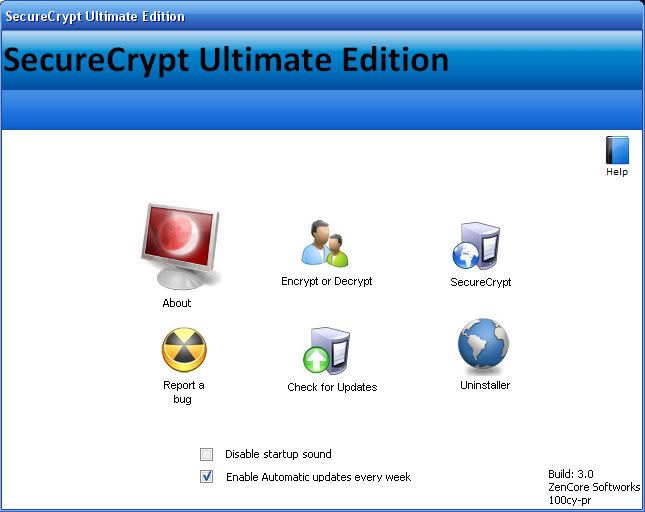
SecureCrypt Ultimate Edition 3.0


INFO:
SecureCrypt UE is most certainly one of the best free encryption softwares to date.
With gaurenteed protection using up to date encryption and decryption technologies, a newly constructed user interaction system, sleek UI and a completely user friendly experience, SecureCrypt will offer you the safest, easiest and the best encryption alternative completely free of charge.
Easy, safe, and efficient encryption software to keep all of your sensitive documents away from prying eyes. Encrypt your files or text into unreadable, scrambled information, and then decrypt them at a later date for viewing by first entering any custom password.

Size: 4.10MB Publisher: Visit Website OS: Win ME/2000/XP/Vista
DOWNLOAD:
http://depositfiles.com/files/6094512
Code: tomistuff.co.cc

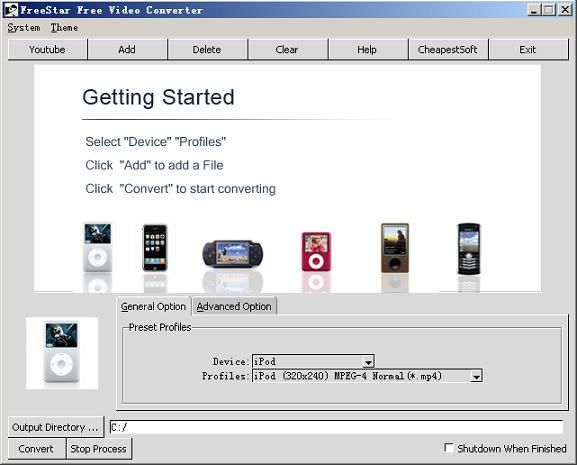
FreeStar Free Video Converter 8.0.7


INFO:
Converts almost all PC video files(including RM,RMVB,AVI, ASF, WMV, MOV, MPG, MPEG, AVC, OGG, MP4, DivX, FLV (YouTube), IFO, MP3, WMA, WAV, AAC and more). Include functions of Video to iPod Converter, DVD to iPod Converter,Video to iPhone Converter, DVD to iPhone Converter, Video to Apple TV Converter, DVD to Apple TV Converter, Video to PSP Converter, DVD to PSP Converter, 3GP Video Converter, BlackBerry Video Converter, Video to Zune Converter, DVD to Zune Converter, AVI(Divx, Xvid) MPEG Converter, Video to MP4 Converter, DVD to MP4 Converter, MOV Converter, YouTube downloader and Converter, etc.
Key Functions:
Include functions of Video to iPod Converter,Youtube to iPod Converter,Video to PSP Converter,Youtube to PSP Converter,Video to iPhone Converter,Youtube to iPhone Converter,3GP Video Converter,BlackBerry Video Converter,Video to Zune Converter,DVD to Zune Converter,AVI(Divx,Xvid) MPEG Converter, MP4 Video Converter, MOV converter etc;
Convert between all popular video formats including AVI, MPEG, WMV, MPEG1/2/4, 3GP, H.264, MP4, DVD, VCD, SVCD, MOV, RM,RMVB,FLV;
Convert video formats to popular audio files, including MP2, MP3, AC3, RA, M4A, OGG, AAC.
Support Youtube ripping.
Support Apple TV H.264,Apple TV MPEG-4.
Support portable device:iPod,PSP,iPhone,Blackberry,PS3,Zune.

Size: 8.45MB Publisher: Visit Website
OS: Win 2000/XP/Vista
DOWNLOAD:
http://depositfiles.com/files/6094571
Code: tomistuff.co.cc

VirtualDub Portable 1.8.1


INFO:
VirtualDub Portable is the popular video capture/processing utility packaged as a portable application, so you can take your images with you and do your editing on the go.
VirtualDub Portable is a video capture/processing utility. It lacks the editing power of a general-purpose editor such as Adobe Premiere, but is streamlined for fast linear operations over video. It has batch-processing capabilities for processing large numbers of files and can be extended with third-party video filters. VirtualDub is mainly geared toward processing AVI files, although it can read (not write) MPEG-1 and also handle sets of BMP images.
View the Release Notes for VirtualDub 1.8.1 Stable.

Size: 1.53MB Publisher: Visit Website OS: Win 9x/ME/2000/XP/Vista
DOWNLOAD:
http://depositfiles.com/files/6136810
Code: tomistuff.co.cc

Saturday, June 21, 2008

TuneUp Utilities 2008 7.0.8007


INFO:
TuneUp Utilities® 2008 optimizes the performance of your computer, corrects problems and helps you to customize your system to suit your needs. It combines important aspects of system configuration, security, cleaning and maintenance under a modern interface. You can remove unnecessary files from your hard disk(s), clean and optimize the registry, tweak your internet connection settings, recover deleted files, optimize memory and more. In addition, you can analyze your system, receive automatic suggestions for potential performance improvements and view detailed hardware information. TuneUp Utilities also includes an Uninstaller, registry Editor, Task Manager and even an Undelete tool to recover files that have been deleted from the recycle bin. A very nice tool, with many features that will appeal to novice as well as advanced users.TuneUp Utilities 2008 makes Windows faster, more secure, and comfortable. All important aspects of system configuration, security, cleaning and maintenance are combined under a modern graphical user interface.
Features:- TuneUp Utilities 2008 - Start Center- Reliable Protection for Your Data- Simple Hard Disk Organization- Simple Windows Customization- Perfect Error Correction- Simple 1-Click Maintenance- Optimum Start Acceleration- Internet and Windows Acceleration- Secure Data Rescue and Deletion- Individual Windows styling
Your TuneUp Utilities advantages:- NEW! Configures Internet Explorer 7, Firefox 2, Windows Media Player 11 and Office 2007- NEW! Automatically eliminates errors in the file system- NEW! Allows for simple clean-up of your disk drives- NEW! Deletes sensitive data using the secure DoD 5220.22-M and Gutmann methods- IMPROVED! Gives you intelligent tips to optimize your hardware and software- IMPROVED! Speeds up your system startup- IMPROVED! Scans your system for settings that might be slowing it down and corrects them- Reliably and completely removes unnecessary applications including their registry entries- Offers optimum Internet and system settings for every type of user- Defragments the Windows registry- Restores accidentally deleted files- Speeds up your Internet connection

Ahead Nero v8.3.2.1


INFO:

Ahead Nero v8.3.2.1 the newest version of the world's best-selling multimedia suite, brings the digital world to your PC. Now it's easy to organize and manage all your multimedia files, as well as create and edit new digital content. Nero's sleek design and user-friendly tools make completing projects fun and enjoyable.
* Direct access to all features from the project launcher
* High Definition format support
* Xbox 360 and PlayStation 3 streaming features
* Blu-ray Disc and HD DVD burning support
* SecurDisc data protection support
* Copy a disc with just one click
* Graphics optimized for Windows Vista
Ahead Nero v8.3.2.1 StartSmart makes creating projects fun and simple Nero StartSmart, the project launcher for Nero 8, lets you directly access features and perform one-click functions. The intuitive interface makes creating and managing digital projects easy andÛ°Û Û enjoyable. Optimized for use with Windows Vistar,Û°Û Û Nero StartSmart even has an integrated newsfeedÛ°Û ß system. Nero 8 is the solution for your multimedia projects Nero 8 has the tools to help you handle all your multimedia projects. Whether you plan to create a music mix with MP3 files, edit vacation videos, touch up digital photos, make a slide show, or convert content to play on a mobile device, your results will be professional and dynamic.
Ahead Nero v8.3.2.1 8 takes home entertainment around the house Organize and manage all your multimedia files with Nero's home media center. Nero 8 lets you use your Xbox 360 or PlayStation 3 to stream High Definition video content and surround sound audio files to enjoy in the comfort of any room in your house.
Ahead Nero v8.3.2.1 offers increased data security
No more worries over losing data! Nero 8 has back up features that let you rest easy knowing your data is safe in case of a complete system crash or a damaged disc. Recover your data quickly and easily and create discs that are password protected. SecurDisc technology gives you peace of mind.

DOWNLOAD:
http://rapidshare.com/files/123955248/AheadNero.by.freewareus.com.1.zip
http://rapidshare.com/files/123955197/AheadNero.by.freewareus.com.2.zip
keygn: http://rapidshare.com/files/123954850/Aheadkeygen.by.freewareus.com.zip

Code: freewareus.com

Friday, June 20, 2008

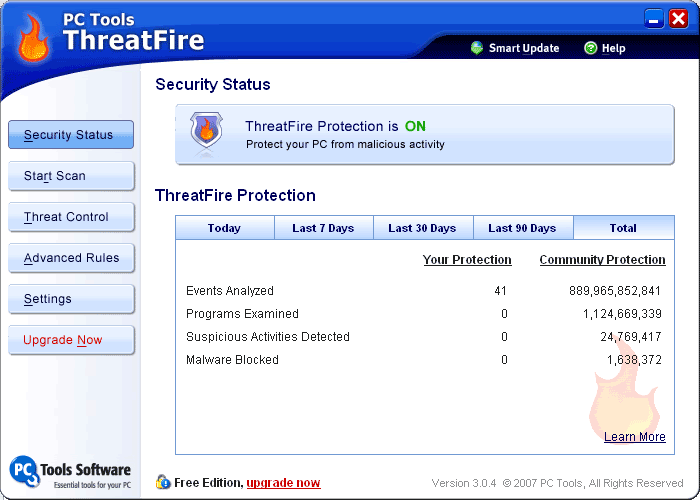
PC Tools ThreatFire 3.5.0.21


INFO:
ThreatFire Free Edition is an application designed to protect your computer against malware such as trojans, spyware, rootkits, keyloggers, and buffer overflows by intelligently detecting and blocking behavior consistent with that of malware.
ThreatFire uses advanced patent-pending technology to detect signs of malicious behavior commonly used by malware threats. ThreatFire is unlike traditional antivirus products that rely on old fashioned "signature" technology and require updating every time a new threat occurs.
By constantly monitoring the activity on your PC ThreatFire's ActiveDefense technology is able to hunt down and paralyze threats that are too new or too clever to be recognized by traditional security software.
ThreatFire employs an intelligent behavioral engine to only alert you on truly malicious behavior, because sometimes even legitimate software may look malicious. This means you are only alerted when you really need to be.
Features:
Immediately Effective with No Complicated Set Up
Proactive Defense against Both Known and Unknown Threats
PC Tools AntiVirus Included for On-demand Scanning
Quarantine and Permanently Remove Threats from Your System
Rootkit Scanner Seeks Out Deeply Hidden Files, Objects and Registry Keys
Complementary to Your Existing Antivirus Software
Advanced Custom Configuration Options and Rules Settings
Virtually No Impact on System Performance
Built-in Web Search Provides Additional Threat Details
Continually Improving Protection Technology

Size: 21.12MB Publisher: Visit Website OS: Win 2000/XP/2003/Vista

Code: tomistuff.co.cc

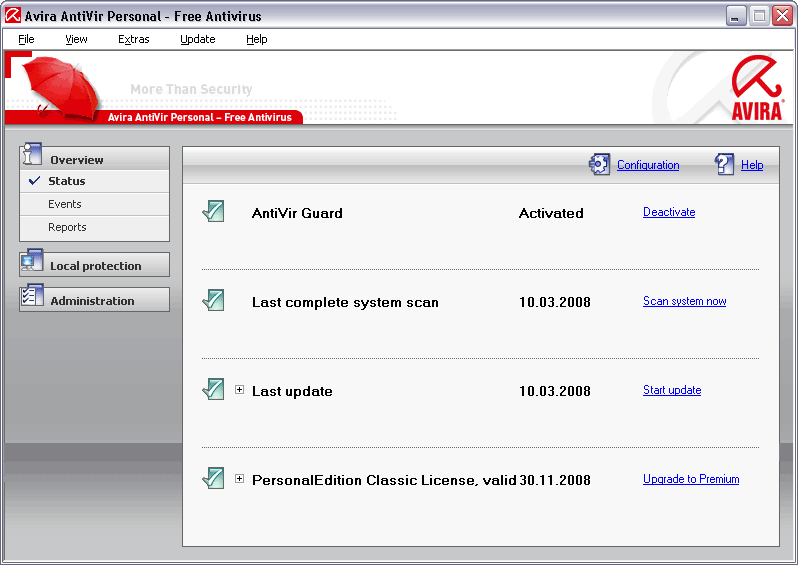
Avira AntiVir Personal - Free Antivirus 8.1.00.295


INFO:
Avira AntiVir Personal - Free Antivirus is a comprehensive, easy to use antivirus program, designed to offer reliable free of charge virus protection to home-users only.
Avira offers:
Extensive Malware Recognition of viruses, Trojans, backdoor programs, worms, etc.
Automatic incremental updates of antivirus signatures, engine and entire software.
Permanent virus protection, with Virus Guard real time monitoring.
Install and configuration in just a couple of steps, setup to protect your PC in minutes.
Virus protection against known and unknown threats, using an advanced heuristic system.
Scheduler where you can set the scanner to make automatic virus scans or updates on your system.
Forum and phone support, Knowledge Base with virus descriptions available on web site.
Vista Support.
Rootkit Detection and Removal. NEW: Version 8 adds:
A new and completely redesigned user interface,
A modularized AV-search engine for improved scan performance, It constantly and rapidly scans your computer for malicious programs (such as viruses, Trojans, backdoor programs, hoaxes, worms, dialers etc.), monitoring every action executed by the user or by the operating system and being able to react promptly when a malicious program is detected. Actions include repair, delete, block, rename and quarantine programs or files.
This application also features enhanced protection against unknown boot-sector viruses, issuing alerts for boot sectors suspicious formats. Through the permanent update of the detection engine, the protection is ensured constantly: the user can set the product to download any updates when available, thus keeping you clean and safe.
- The Installation Kit comes fully featured.- In order to involve in charitable projects and to benefit of more features like Adware and Spyware detection, Advanced set-up, Antispam, Antiphishing etc you may acquire the appropriate Avira AntiVir Premium Security Suite license for just 39.95 Euro. Five euros of every online sale go to the Auerbach foundation that support various social, scientific, cultural or otherwise charitable projects.
Size: 21.28MB Publisher: Visit Website OS: Win 2000/XP/Vista

Code: tomistuff.co.cc

ClamWin Free Antivirus 0.93.1


INFO:
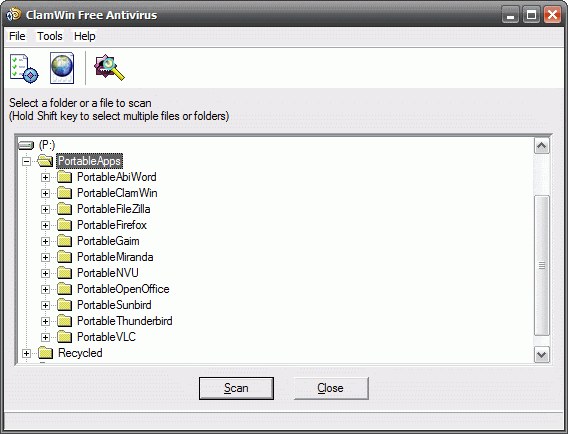
ClamWin is a Free Antivirus for Microsoft Windows. It provides a graphical user interface to the Clam AntiVirus engine. ClamWin Free Antivirus comes with an easy installer and open source code. You may download and use it absolutely free of charge.
Features:
High detection rates for viruses and spyware;
Scanning Scheduler; Please note that ClamWin Free Antivirus does not include an on-access real-time scanner. You need to manually scan a file in order to detect a virus or spyware.
What's New in version 0.93.1:
Automatic downloads of regularly updated Virus Database.
Standalone virus scanner and right-click menu integration to Microsoft Windows Explorer;
Addin to Microsoft Outlook to remove virus-infected attachments automatically.
This release updates ClamAV scanning engine and includes several improvements:
Improved handling of PDF, CAB, RTF, OLE2 and HTML files
Added a configuration parameter for MS Outlook Splash Screen
Several important bugfixes

Size: 20.93MB Publisher: Visit Website OS: Win 98/ME/2000/XP/2003

Code: tomistuff.co.cc

Comodo Antivirus 2.0.17.58 Beta


INFO:
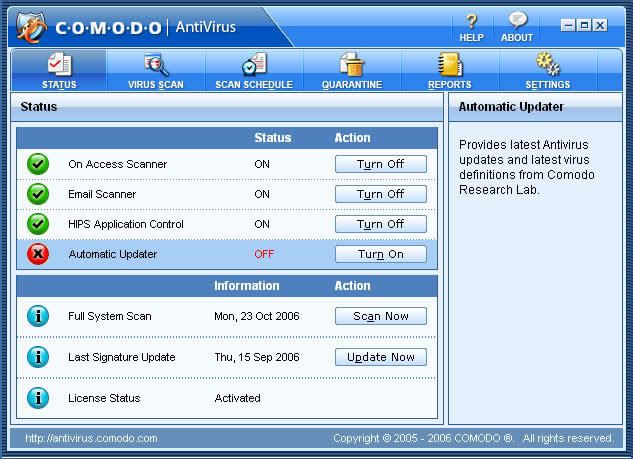
Free Comodo AntiVirus leverages multiple technologies (including on demand & on access scanning, email scanning, process monitoring and worm blocking) to immediately start cleaning or quarantining suspicious files from your hard drives, shared disks, emails, downloads and system memory with enhanced web lookup. It´s easy to install and configure, will not slow down your PC by hogging system resources and is free for life to the end user.

Size: 34.61MB Publisher: Visit Website OS: Win 2000/XP

DOWNLOAD:
http://rapidshare.com/files/123726484/ComodoAntivirus.by.tomistuff.co.cc.zip
Code: tomistuff.co.cc

Thursday, June 19, 2008

Vista Start Menu SE 2.9


INFO:

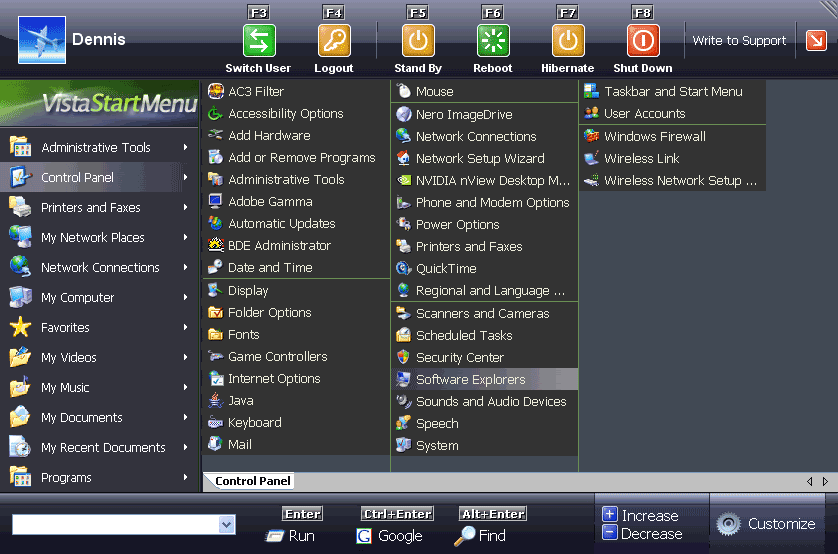
Do you have hundreds of programs in your Start menu? Do you waste time looking for the program you need? Try Vista Start Menu to instantly find what you need among the large amounts of information. Vista Start Menu is effective for advanced users and easy to use for beginners. Start working with pleasure!
Supported Operating Systems: Windows XP, Windows 2000, Windows 2003, Windows NT4, Windows Tablet PC Edition 2005, Windows Media Center Edition 2005.
Size: 1.64MB Publisher: Visit Website OS: Win NT/2000/XP/2003

DOWNLOAD:
http://depositfiles.com/files/6075270

Code: tomistuff.co.cc

FreeStar Free Video Converter 8.0.7


INFO:
Converts almost all PC video files(including RM,RMVB,AVI, ASF, WMV, MOV, MPG, MPEG, AVC, OGG, MP4, DivX, FLV (YouTube), IFO, MP3, WMA, WAV, AAC and more). Include functions of Video to iPod Converter, DVD to iPod Converter,Video to iPhone Converter, DVD to iPhone Converter, Video to Apple TV Converter, DVD to Apple TV Converter, Video to PSP Converter, DVD to PSP Converter, 3GP Video Converter, BlackBerry Video Converter, Video to Zune Converter, DVD to Zune Converter, AVI(Divx, Xvid) MPEG Converter, Video to MP4 Converter, DVD to MP4 Converter, MOV Converter, YouTube downloader and Converter, etc.
Key Functions:
Include functions of Video to iPod Converter,Youtube to iPod Converter,Video to PSP Converter,Youtube to PSP Converter,Video to iPhone Converter,Youtube to iPhone Converter,3GP Video Converter,BlackBerry Video Converter,Video to Zune Converter,DVD to Zune Converter,AVI(Divx,Xvid) MPEG Converter, MP4 Video Converter, MOV converter etc;
Convert between all popular video formats including AVI, MPEG, WMV, MPEG1/2/4, 3GP, H.264, MP4, DVD, VCD, SVCD, MOV, RM,RMVB,FLV;
Convert video formats to popular audio files, including MP2, MP3, AC3, RA, M4A, OGG, AAC.
Support Youtube ripping.
Support Apple TV H.264,Apple TV MPEG-4.
Support portable device:iPod,PSP,iPhone,Blackberry,PS3,Zune.

Size: 8.45MB Publisher: Visit Website
OS: Win 2000/XP/Vista

Code: tomistuff.co.cc

Free Video to Flash Converter 4.1.1.3


INFO:
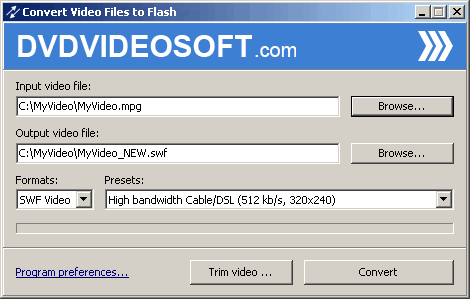
Free Video to Flash Converter. Convert video files to SWF or FLV to publish video on your web site or blog.
Convert *.avi, *.mpeg, *.mpg, *.mp4, *.m4v, *.wmv, *.asf, *.mov, *.qt, *.3gp, *.3g2, *.dvr-ms. *.flv video files to ready for web *.flv and *.swf files.This free program contains no spyware or adware. It´s clearly free and absolutely safe to install and run.
Size: 8.93MB
Publisher: Visit Website
OS: Win 9x/ME/NT/2K/XP/2K3

Virtual Hypnotist 5.61


INFO:
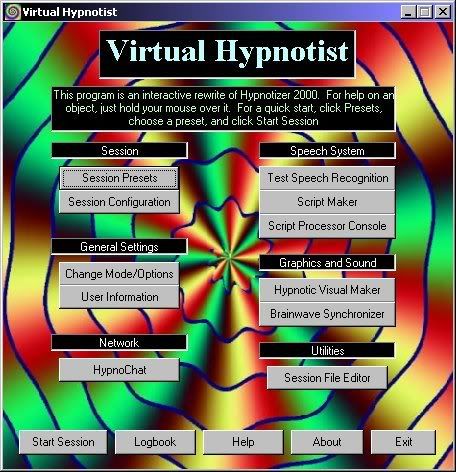
Virtual Hypnotist is a free, open source, interactive hypnosis program, and is a rewrite of Hypnotizer 2000.
It includes features such as voice recognition, speech synthesis, subliminal messages, completely customizable scripts (featuring a unique scripting language), videos, audio, and lots more. Its purpose is to simulate a real hypnosis session as much as possible.
Features:Script maker, for easily editing scripts, and for creating your own, which uses a flexible and unique scripting language. Binaural brainwave synchronizer, for generating sounds that help induce hypnosis (sync brainwaves), and for providing flashing color bars that visually also sync brainwaves. Lots of pre-made scripts, from inductions, deepeners, suggestions, etc. Two subliminal message systems, which add visual subliminal messages in sessions, and even let you display them on your computer screen while you work Hypnotic visual maker, for designing your own hypnotic effects Cool presets that get you started instantly A session logbook that lets you write down successes, notes, ideas, etc. Fully customizable hypnosis sessions Complete speech synthesis; choose from a selection of multiple voices, and even use other SAPI4 or SAPI5-compliant speech engines (only partial SAPI5 support is implemented). Speech recognition that lets you verbally respond to questions and prompts while under hypnosis Easy and powerful scripting language called ISL used for creating and processing scripts Animated characters used as virtual “hypnotists” Pop-up sessions, where the program can hide in the background and “pop up” at a certain time, and start the hypnotic induction Support for video files and flash animations, via Windows Media and Macromedia Flash, and even lots of videos/animations included Speed controls, to slow down and speed up both audio and video HypnoChat and Remote Controller, an AIM-compatible instant messaging system that allows one user of Virtual Hypnotist control another user's program over the Internet with the subject's consent, and even supports group sessions Complete tray icon and popup menu support Text-only sessions that display text on the screen instead of using the speech system. Background and Subliminal modes Support for playing hypnosis audio files, while using Virtual Hypnotist for graphics 3D graphics support with the TrueVision3D graphics engine Video and audio volume and rate changing support Session previewing support WAV file output support (SAPI5 only) Script Processor Console which allows a user to operate the script system in an interactive manner Script Converter for converting standard text scripts to the ISL script format Personalized information for use in sessions (name, gender, and preferred trigger) New GrockTunnel visual, which is a remake of the Grock hypnosis program, and supports word lists written for it. Support for loading scripts, images, videos and audio directly from internet URLs Comes with the Virtual Hypnotist User's Guide All source code is included (written in Visual Basic 6) And more
What's New in version 5.61:removed experimental winamp visual support along with BASS libraries fixed numerous bugs in the Grock Tunnel component added support for looping text in Grock Tunnel added support for disabling Grock Tunnel text added %name% and %trigger% variable support to Grock Tunnel changed popup subliminal cycle time slider to include 0, to disable session now ends when Grock Tunnel wordlist ends, instead of looping with no text
Size: 21.63MB
Publisher: Visit Website
OS: Win 9x/ME/NT/2K/XP/2K3

Wednesday, June 18, 2008

Halite 0.3.1


info:
Halite is yet another open-source BitTorrent client and is based on the excellent libtorrent library from Rasterbar Software. What makes Halite stand out is its remote control interface that allows its users to easily monitor and control the application from a mobile phone.
Features:
Multiple downloads.
Displays more detailed information for the selected torrent.
Connection limits both global and per-torrent.
Transfer rate limits again global and per-torrent.
Minimize to tray with transfer rate summary.
Association with ".torrent" files.
Option to limit the number of instances to one.
Estimated time remaining indicator.
Full Unicode support through UTF-8 and native Windows wide-char strings.
Login support where tracker requires it.
Ability to edit trackers specified in the torrent.
Changelog:
- from v 0.3.0.7 to 0.3.1:
Bug fixes.
- from v 0.3.0.5 to 0.3.0.7:
Adds ability to create torrent files.
A lot of small improvements and bug fixes.
- from v 0.3.0.2 to 0.3.0.5:
Right-click context menu option to ‘Open download folder’.
Right-click context menu option to force a file recheck.
Option to move seeding torrent to another folder.
Fixed a bug with tracker logins.
- from v 0.3 to 0.3.0.2:
Fixed a bug with Tray Icon remaining after window was restored.
Torrent Connection and Transfer setting mapped to incorrect editbox.
Subtle bug where some settings didn’t register straight away. Size: 2.48MBPublisher: Visit WebsiteOS: Win 2000/XP

MSN Virus Cleaner 1.0.0.4


info:
MSN Virus Cleaner is an easy and a fast way to remove MSN worms and viruses. Simply run the application and in just a few seconds it will automatically delete unwanted applications from your PC. Vista users may need to have an administrator account to completely remove the MSN viruses.
View the MSN Virus list.
Requires: Microsoft .NET Framework 2.0.
Size: 360KBPublisher: Visit Website
OS: Win 2000/XP/2003/Vista

freeCommander 2008.06


info:
freeCommander is an easy-to-use alternative to the standard windows file manager. The program helps you with daily work in Windows. Here you can find all the necessary functions to manage your data stock. You can take freeCommander anywhere - just copy the installation directory on a CD, USB-Stick or even a floppy disk - and you can even work with this program on a foreign computer.
Main features in freeCommander :
Dual-panel technology
Optional tree view for each panel
Built in file viewer to view files in hex, binary, text or image format
File viewer inside archives too
Built in archive handling: ZIP (read, write), CAB (read, write), RAR (read)
Nested archive handling
Easy access to system folders, control panel, desktop and start menu
Copy, move, delete, rename files and folders
Wipe files
Create and verify MD5 checksums
File splitting
File properties and context menu
Calculation of folder size
Folder comparison / synchronization
Modification of file date and attributes
Folder / program favorites
File searching (inside archive too)
File filters for display
DOS command line
Multiple language support
What´s New in version 2008.06:
New: Multi rename tool
New: Built in FTP: activate FTP under Settings->Drives: Show FTP as drive
New: Synchronize folders - exclude filter possible
New: Synchronize folders - option for "ignore 1 hour time delay"
New: Lock toolbars
New action: Create new file
New action and pushbutton in toolbar: New file
New: Settings->Toolbar: Show menu as toolbar
New: Settings->Toolbar: Drawing style
New: Settings->Icons: Icons in main menu (Use small icons; Use the same size as in toolbar)
New item in the popup menu for tabs: Lock - navigation to subfolders
New: Settings->View: Width of Go Up strip
New: Settings->View->Toolbars: Use big icons
New: Settings->View->Splitter: Show "Swap panels" button; Width of splitter
New: Settings->Quick search/filter: Deactivate filter for folder change
New: Save scroll bar position for tabs
Changed: F5/F6 shortcuts changed to copy/move with dialog
Bug: High CPU Usage after taking Desktop Snapshots
Bug: Password is shown, when user enter password for unRar files
Bug: Favorite folders - multibyte characters do not work
Bug fixed: Vista folder e:\windows\winsxs can not be open if "View folder size" option is active
Some other small bugs fixed
Size: 2.33MBPublisher: Visit WebsiteOS: Win 2000/XP/2003/Vista

Tuesday, June 17, 2008

WildBit Viewer 5.2 RC 1.0


info:
WildBit Viewer is compact & fast image viewer with slide show and editor. Eye catching interface within blazing fast folder, file list and thumbnail viewer.
Viewer includes also Image Info with Image EXIF meta data JPEG and TIFF support and IPTC (IIMV4) information (like PhotoShop file info) from JPEG and TIFF, Thumbview has changeable views, sorting and thumbnail predefined sizes for fast thumbnail size setting. Viewer also includes shell toolbar, you can drop your favorite folder there and use it as an organizer.
It also includes image compare. In Compare you can compare images side-by-side. In Favorites you can save list of favorite images and load list later on and you can create custom show in to Slide Show also that list you can edit with Custom Show List Editor. With Slide Show you can view images within 172 different transition effects. Slide Show includes now multi-monitor support for fast switching between two monitors.WildBit Viewer supports all major graphic formats including BMP, JPEG, JPEG 2000, GIF, PNG, PCX, TIFF, WMF and TGA (about 70 formats).
Size: 5.21MBPublisher: Visit WebsiteOS: Win 98SE/ME/2K/XP/2K3/Vista

HashTab 2.1.0


info:
HashTab is a Windows shell extension which adds a tab called "File Hashes" to the Windows Explorer file properties. The tab contains the MD5, SHA1 and CRC-32 file hashes. These are common hashes that are used to verify the integrity and authenticity of files.
What's New in version 2.1.0:
Added drag and drop support for comparing files. Once the hash has completed, files can be dragged onto the HashTab. The dropped file will be hashed using the selected hash algorithm and the result is put in the text box and compared. This will make hash comparisons a little easier in some cases.
Updated translations for German, Japanese, Italian, French.
Fixed hash settings listbox layout
Added a "copy all" menu item to copy all hash data to clipboard
Fixed a problem where you had to hash a file in order to change settings
Added French translation
By popular demand, added support for MD2 and MD4 hashes.
The translation file has been updated for the new UI elements. If you notice untranslated strings in your language, you can help by downloading the translation file, translating the missing strings and sending me the file. Thanks!
Size: 525KBPublisher: Visit WebsiteOS: Win 2000/XP/2003

freeCommander 2008.06


info:
freeCommander is an easy-to-use alternative to the standard windows file manager. The program helps you with daily work in Windows. Here you can find all the necessary functions to manage your data stock. You can take freeCommander anywhere - just copy the installation directory on a CD, USB-Stick or even a floppy disk - and you can even work with this program on a foreign computer.
Main features in freeCommander :
Dual-panel technology
Optional tree view for each panel
Built in file viewer to view files in hex, binary, text or image format
File viewer inside archives too
Built in archive handling: ZIP (read, write), CAB (read, write), RAR (read)
Nested archive handling
Easy access to system folders, control panel, desktop and start menu
Copy, move, delete, rename files and folders
Wipe files
Create and verify MD5 checksums
File splitting
File properties and context menu
Calculation of folder size
Folder comparison / synchronization
Modification of file date and attributes
Folder / program favorites
File searching (inside archive too)
File filters for display
DOS command line
Multiple language support
What´s New in version 2008.06:
New: Multi rename tool
New: Built in FTP: activate FTP under Settings->Drives: Show FTP as drive
New: Synchronize folders - exclude filter possible
New: Synchronize folders - option for "ignore 1 hour time delay"
New: Lock toolbars
New action: Create new file
New action and pushbutton in toolbar: New file
New: Settings->Toolbar: Show menu as toolbar
New: Settings->Toolbar: Drawing style
New: Settings->Icons: Icons in main menu (Use small icons; Use the same size as in toolbar)
New item in the popup menu for tabs: Lock - navigation to subfolders
New: Settings->View: Width of Go Up strip
New: Settings->View->Toolbars: Use big icons
New: Settings->View->Splitter: Show "Swap panels" button; Width of splitter
New: Settings->Quick search/filter: Deactivate filter for folder change
New: Save scroll bar position for tabs
Changed: F5/F6 shortcuts changed to copy/move with dialog
Bug: High CPU Usage after taking Desktop Snapshots
Bug: Password is shown, when user enter password for unRar files
Bug: Favorite folders - multibyte characters do not work
Bug fixed: Vista folder e:\windows\winsxs can not be open if "View folder size" option is active
Some other small bugs fixed
Size: 2.33MBPublisher: Visit WebsiteOS: Win 2000/XP/2003/Vista
Code: freewarebox.info